



Kronehoefstraat 85
5612 HL Eindhoven
BTW NL863902509B01
ERP Integration Without the Copy-Paste: Get Your Systems Talking
qw
vc
mshm
.svg)



Last updated: 2026-07-13
ERP integration means your ERP system automatically exchanges data with your CRM, accounting software and other business applications, without anyone retyping information. Instead of three separate systems that do not talk to each other, you get one accurate source of truth that invoices, customer data and time entries flow through automatically. For most SMEs, that does not start with a major ERP replacement project, but with one targeted connection between the systems that currently cost the most time.
An invoice arrives by email. Someone opens the file, checks the details and retypes them into the accounting software. Then the invoice goes through the ERP system again for the inventory link, and once more through the CRM so the customer history stays accurate.
That retyping does not happen once a day. It happens with every invoice, every new customer, every time entry. For a team that switches between ERP, CRM and accounting all day, that is not an incident. It is the job.

Research from Parseur, conducted with QuestionPro among 500 U.S. office workers (2025), found that manual data entry costs a company an average of $28,500 per employee per year. Employees spend more than 9 hours a week on it: time that moves data from emails, PDFs and spreadsheets into digital systems.
That is more than a full day a week per employee, just on retyping.
The problem is rarely that people are careless. The problem is that the systems do not talk to each other. Research from Salesforce and MuleSoft among 1,050 IT leaders worldwide (2025) shows that 90% of organisations experience data silos as a concrete business problem, and that on average only 29% of all applications in use are actually connected.
For an SME in accounting, staffing or construction, that means three things. Double work, because the same data gets entered multiple times. Errors, because retyping is error-prone. And no up-to-date overview, because nobody knows for certain which system holds the latest version of the truth.
The difference between a disconnected system and a connected one only becomes concrete when you look at individual tasks. Below are three tasks that come up in almost every SME with an ERP system, shown in two versions side by side.
Some of this work is solved today with Robotic Process Automation (RPA): software robots that mimic manual steps, like logging in and retyping, only automated. RPA treats the symptom. A direct connection between the systems themselves fixes the cause, and stays more stable long-term than a robot mimicking an outdated interface.
ERP integration is not a new system next to your existing software. It is a layer that gets your ERP, CRM, accounting and any industry-specific software talking to each other, without anyone retyping data.
Technically, that happens through an integration platform (iPaaS, integration platform as a service) or through direct API connections between the systems. The moment something happens in one system, for example a new order in the ERP, the connection automatically forwards that information to the systems that need it. That is called Event-Driven Automation: the connection reacts to what happens, instead of running on a fixed schedule.
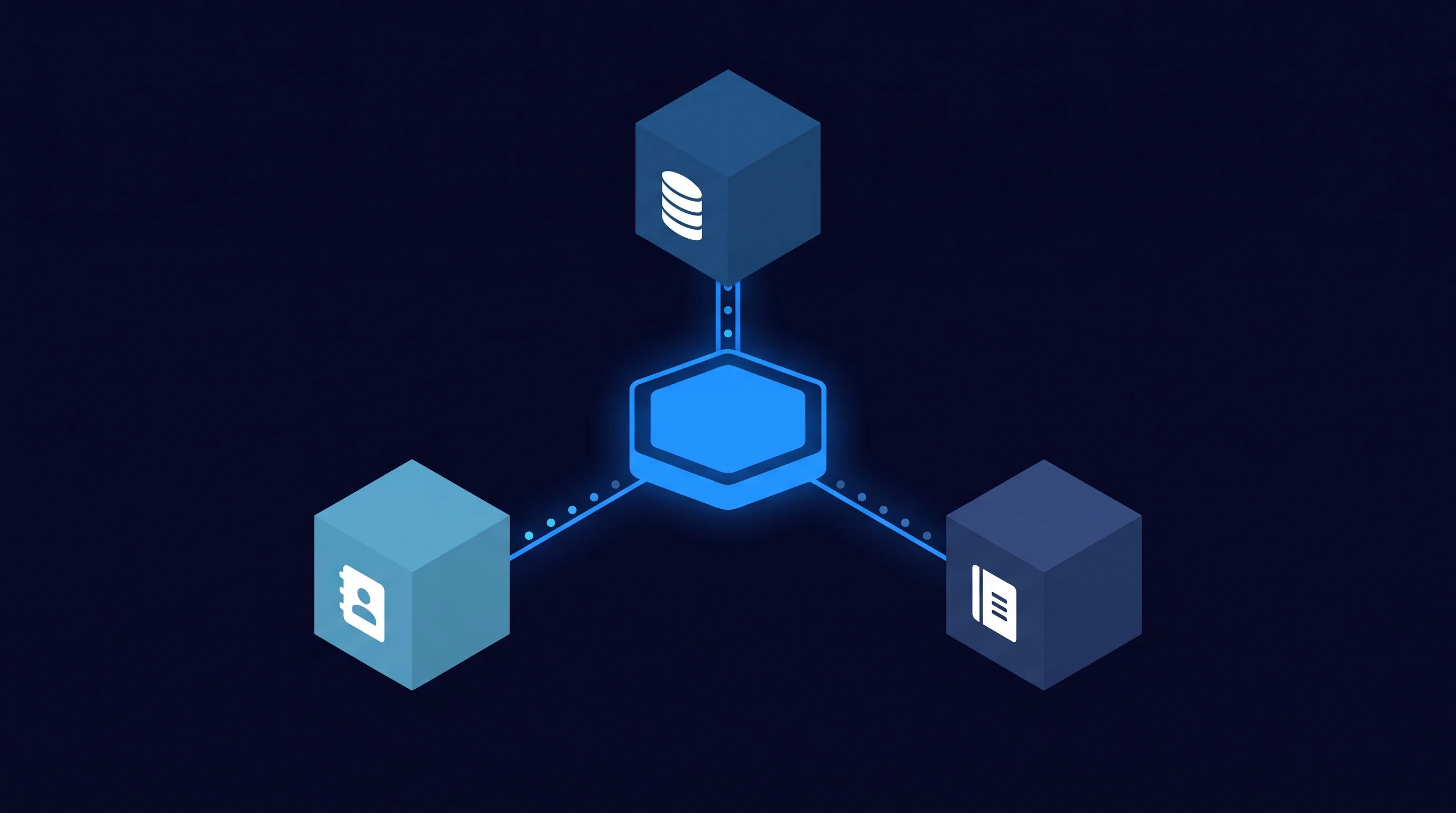
The result is Workflow Automation between systems that used to work in isolation. A new customer in the CRM automatically shows up in the ERP. An invoice approved in the ERP is automatically booked in accounting. Nobody has to take that step manually anymore.
The market for this kind of integration platform is growing fast. Grand View Research puts the global iPaaS market at $12.91 billion in 2025, with expected growth to $55.46 billion by 2033. That is no longer a niche technology. It is the standard way companies get their applications talking to each other.
A connection is not an extra system. It is the layer that makes your existing systems work together.
For most SMEs, this starts with a SaaS integration between two or three systems: ERP, CRM and accounting are the most common combination. No full system replacement, just a direct connection between the systems already in place.
A connection that lets data flow is the first step. The next step is a layer that thinks along with that data: one that flags when an invoice does not match the purchase order, when a customer is listed twice, or when a time entry is missing before invoicing starts.
That is the difference between Intelligent Automation and pure data synchronisation. Data synchronisation coordinates the traffic between systems. An intelligent layer watches, recognises patterns and only surfaces the exceptions a person actually needs to review.
Research from McKinsey (January 2026) underlines why that ERP foundation is essential: AI agents only make good decisions when they have access to clean, structured ERP data through APIs. Without that connection, an AI layer keeps guessing based on outdated or incomplete information.
At The Agentic Group, we call that layer the AI Business Brain: a system that does not just move data, but also watches along and brings in the right people at the right moment. That fits the idea of a Digital Workforce: digital workers that take over the routine work, while people focus on the exceptions and the decisions that actually matter.
A connection that keeps working long-term needs three basic elements. Error handling: what happens if a system is temporarily unreachable or a record does not match. Human-in-the-loop: a clear point where a person reviews the exception instead of the connection retrying on its own indefinitely. Logging: a trail of what happened, so an error can be traced back afterwards.
That is not a heavy governance process. It is the difference between a connection that breaks down after a few months and one an organisation can build on for years.
Alongside the connection itself, intelligent process automation takes the exceptions a step further: not just flagging that something is off, but having the agent suggest how to resolve it, with a person keeping the final say.
The biggest misconception about ERP integration is that you need to connect every system you have at once. That is not just unnecessary, it is also why many integration projects stall before they deliver results.
Start with the task that currently costs the most time or generates the most errors. For many accounting and staffing firms, that is invoices. For construction companies, it is often time tracking linked to projects. Look at which retyping work comes back every week, not at which system is technically the easiest to connect.
That prioritisation is not just practical, it is financially justified too. IBM reports (2026) that more than a quarter of organisations estimate they lose over $5 million a year to poor data quality, with 7% putting that figure at $25 million or more. Those costs rarely sit in one big line item. They are spread across delayed processes, missed appointments and after-the-fact corrections.
The connection that removes the most daily friction is almost never the technically hardest one.
A realistic plan looks like this: map out which two systems most often need the same data, pick one concrete process (invoices, customer data or hours) and start the connection there. After a few weeks, measure what it saves in time and errors, and only then decide if and where to expand. No big master plan drawn up in advance, just a clear first step.
The payoff from ERP integration is not abstract. It is three things a team feels directly: less retyping, fewer errors, and a shorter gap between what happens and what the system shows.
Say a back-office team of two or three people spends half a day every week retyping invoice data between inbox, accounting software and CRM. Once that connection is in place, most of that retyping disappears. The time that is freed up goes to the exceptions that actually need attention, not to copying data that is already correct somewhere else.
That is not a guarantee of a specific number of hours or euros: every organisation has a different volume, different systems and a different starting point. What is consistent: Salesforce and MuleSoft report that 83% of IT leaders point to integration problems as a major barrier to digital transformation. The flip side: connecting systems is one of the few improvements that pays off at almost every level of an organisation.
Less retyping, fewer errors, and a system that knows what happened yesterday.
That is also exactly why we do not treat ERP integration as a one-off project, but as a foundation. A connected system is the base a layer that thinks along can be built on: data in order first, then the intelligence on top.
ERP integration is the automatic connection of your ERP system to other business applications, such as your CRM, accounting software or time-tracking system. Data entered in one system automatically appears in the other, without anyone retyping it. It is not a new system, it is the connection between the systems you already use.
That depends heavily on the number of systems, the complexity of the data, and whether you start with one connection or a wider rollout. A targeted connection between two systems, such as ERP and accounting, is considerably cheaper than a full system replacement. Most SMEs therefore start with one process, measure the effect, and only expand after that.
In practice, CRM, accounting software, time tracking and email are the most commonly connected systems. Industry-specific software, such as a property management system or a construction planning tool, can also talk to the ERP through an integration layer. As long as a system offers an API or export option, a connection is generally feasible.
An off-the-shelf connector uses an existing link between two well-known systems and is usually faster to implement. Custom integration is built for a specific combination of systems and business rules, and becomes necessary once a standard connector does not fit how a company works. Many SMEs combine both: off-the-shelf where possible, custom where needed.
For a single, targeted connection between two systems, the timeline is often a few weeks, including testing. A wider rollout with multiple systems and exception rules takes more time, because every exception needs to be thought through separately. A phased approach, starting with the process that causes the most friction, keeps the timeline manageable.
A well-built connection encrypts data in transit and limits access to exactly the fields that are needed, not the entire database. At The Agentic Group, we work with an EU-based, GDPR-compliant stack, so sensitive customer and business data stays within the EU. Logging and error handling also make it clear who processed which data and when.
iPaaS stands for integration platform as a service: a platform that manages the connection between multiple applications without you having to write separate code for every link. For companies with more than two or three systems that need to work together, an iPaaS layer makes management clearer than a set of individual point-to-point connections. For a single, simple connection, a direct API link is often enough.
Manually retyping data between ERP, CRM and accounting costs time and creates errors. We connect your systems into one source that thinks along, so your team stops doing double work.


.svg)