



Kronehoefstraat 85
5612 HL Eindhoven
BTW NL863902509B01
Business process automation with AI agents: how SMEs make it work
qw
vc
mshm
.svg)




Business process automation with AI agents works by connecting a recurring, rule-based process to an AI agent that handles the trigger, decision, and action in a single chain. For SMEs, this starts in the back office: invoice processing, order confirmation, or data transfer between CRM and accounting. The agent recognises the trigger, retrieves the right information, executes the action, and records the result, without anyone having to hand off the baton manually.
Not every process lends itself to automation. Choosing the right starting point saves time and prevents you from shelving a half-built agent after three months.
Use these five criteria to assess whether a process is ready for an AI agent:
Back-office processes score above average on all five points. Invoice processing, order confirmation, and data transfer between CRM and accounting are the most common starting points for SME automation.
The fastest payback times come from processes with a concrete cost per error: invoice processing, appointment confirmations, and lead routing consistently come out on top in practical research (Stealthagents Research, 2026).

Avoid processes where the outcome is hard to measure or where errors have legal consequences as your first project. HR assessments, credit decisions, and contract negotiations require a more mature implementation with more extensive safeguards.
An AI agent is software that receives a goal and then independently determines the steps to achieve it. It works in a short cycle: observe, reason, act, evaluate. That cycle repeats until the task is complete or until the agent determines that a human needs to intervene.
The difference from classic workflow automation lies in the decision layer. A traditional workflow tool follows a fixed decision tree: if this, then that. An AI agent can interpret variable input, infer missing fields, and choose an approach that was not literally programmed.
Classic automation versus AI agents: when do you choose which?
The practical rule: if you can write the process as a checklist without a single "it depends" step, build a workflow. The moment you write "assess whether this is reasonable" or "determine whether escalation is needed", you need an agent (SW Automation, 2026).
Most SME automation consists of 80% workflows and 20% agents. Both are useful and complement each other. It is not about the technology, but about the match between the type of decision and the right tool.
A working automation starts with paper, not with code. Map the process fully on paper before you touch a single tool. Who does what, where does the data live, what are the decision points? That map determines 80% of the end result.

Then work through this four-step plan:
Automation starts with a reliable, automatically detectable trigger. Good triggers are: an email arriving at a specific address, a new record in your CRM, a form being submitted, or a schedule (every night at 23:00).
Bad triggers are: "when someone decides it is needed" or manual exports. These leave room for human error and cannot be automated.
The agent needs context to make the right decision. That means: connect the system where the trigger originates to the systems that contain the required information. For invoice automation, these are typically the email inbox, the accounting package, and possibly a supplier register.
Use existing integrations (API, webhook) wherever possible. Tools like n8n, Make, or Microsoft Power Automate offer ready-made connections for the most commonly used SME software: Exact Online, Moneybird, HubSpot, Google Workspace, Microsoft 365.
The AI layer adds reasoning on top of the data connections. The agent receives instructions (what may it decide, what must it pass to a human), access to the data sources, and an action budget (which systems may it write to).
Start conservatively: the agent proposes, a human confirms. Once accuracy is proven, scale the autonomy level for low-risk actions.
A robust automation has a human-in-the-loop mechanism: a point at which a human approves or corrects the outcome, especially for actions with financial or customer-facing consequences. This is not a sign of distrust in the technology, but a requirement for responsible use.
The fastest deployments follow this pattern: pilot with one workflow, measure everything, human approval for sensitive actions, then gradually expand.
Practical data shows that companies starting with a focused pilot recover their investment within 6 to 9 months on average (McKinsey, 2025).
The power of workflow automation lies in the connections. An AI agent that stands apart from your existing tools is useless: it needs data to decide and write access to take action.
The most commonly used connections in SME automation are:
For companies using Google Workspace or Microsoft 365, the entry points are often already in place via standard API connections. The question is not whether the systems can communicate, but whether the processes are defined clearly enough to connect.
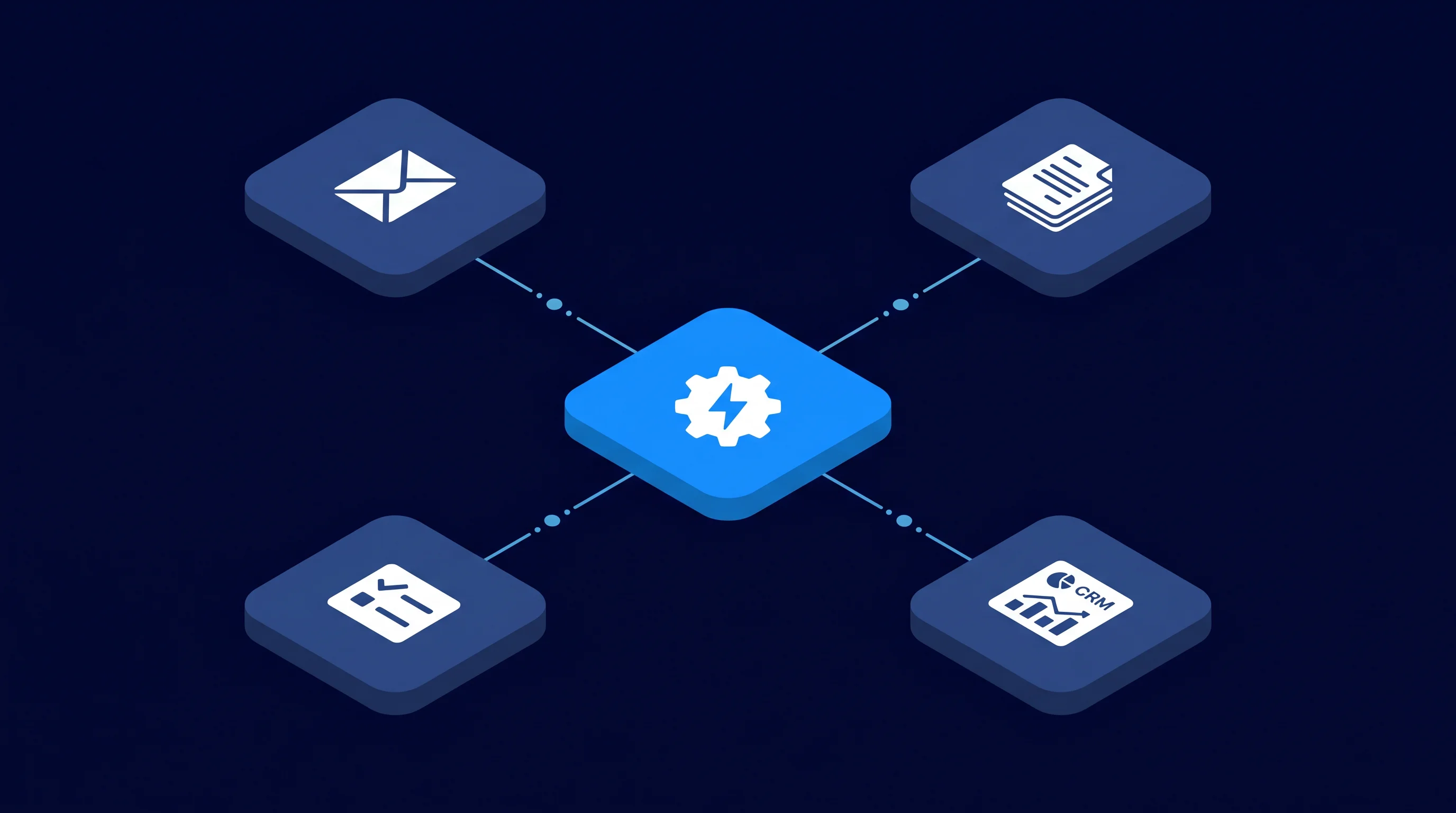
The AI Bedrijfsbrein approach by The Agentic Group is focused on exactly this: connecting existing systems via a central layer, so data flows automatically without manual handoff. For a deeper look at the integration options, see our SaaS integration service.
Data entry errors from manual re-keying cost companies an estimated 1 to 3% of their annual revenue (Gartner, 2025 via Swiftcase). For a company with 3 million euros in revenue, that is 30,000 to 90,000 euros per year, purely in correction work and missed information.
Do not expect magic, but the numbers are genuinely concrete. Most research looks at two dimensions: time savings and financial return.
Intelligent automation, combining AI agents with RPA (Robotic Process Automation), delivers an average 22% cost reduction and 11% revenue growth over three years (Deloitte, via doit.software 2025).

The Netherlands is on track for further adoption. According to the KvK AI Barometer 2024, 23% of Dutch SMEs actively use AI in business processes. The policy target is 75% adoption within six years, compared to 13% in 2021 (KvK / CBS, via andai.nl 2025). The growth curve is steep, and early adopters are building their lead now.
The SAP Insider Process Automation Research (2024) shows that the share of respondents who consider process automation "extremely important" rose from 40% in 2023 to 54% in 2024. The question is no longer whether, but when and how.
Most automation project failures are not caused by the technology. They are caused by the approach. These are the three mistakes that most often delay or derail projects.
An agent automates what you instruct it to do. If the current process is full of implicit decisions that employees "just know", the agent will lack that knowledge. The fix: spend an hour mapping the process on paper before opening any tool. Which step does who, based on what information, with what outcome?
Automation that operates outside the team's daily workspace is not trusted and not used. Integrate the agent into the tools your team already opens every morning: their email client, their CRM, their task management system. The agent's output must appear where the work already happens (SW Automation, 2026).
GDPR and, for larger organisations, the EU AI Act apply to automations that process personal data or make decisions that affect people. Do not assume the tool is automatically compliant. Define upfront: what data does the agent process, where is it stored, who has access, how do you log decisions? The cost of compliance upfront is always lower than the cost of an incident after the fact.
The approach of The Agentic Group for intelligent process automation always begins with a process qualification: which process, which systems, which risk classification. Only then do we start building.
Business process automation (BPA) is the use of software to take over recurring, rule-based tasks in a business process from people. This covers both classic workflow automation (fixed rules) and intelligent automation with AI agents (variable input and decisions). The goal is always the same: less manual work, fewer errors, and faster cycle times.
RPA (Robotic Process Automation) follows fixed, pre-programmed steps based on exact rules. An AI agent can interpret variable input, take context into account, and make decisions that were not literally programmed. RPA works well for structured, identical processes. An AI agent adds value when the input varies, such as invoices in different formats or emails with varying urgency.
Choose a process with high volume, that is consistently repeatable, follows clear rules, has reliable data available, and where errors are recoverable. Invoice processing, order confirmation, and data transfer between CRM and accounting are the most common starting points for SMEs. Map the process fully on paper before touching any tool.
For a focused, well-defined back-office automation, build time ranges from a few days to six weeks, depending on the complexity of the integrations and the number of exceptions. Preparation (process definition and data quality) determines build time more than the technology itself. Companies that prepare their first pilot well see measurable results in the first month.
Costs vary widely based on the complexity of the process and the number of systems to connect. Platforms like n8n or Make offer starter subscriptions from 20 to 50 euros per month. Implementation and configuration costs are typically one-time and depend on the partner helping you. The average payback period is between 6 and 9 months (McKinsey, 2025), and for simple processes sometimes under three months.
Security depends on the choices you make, not on the technology itself. Process data on EU-based infrastructure where possible, minimise what data the agent sees (only what is needed for the decision), build in audit logs, and define who has access. GDPR applies as soon as personal data is processed. Treat compliance as part of the design, not as an afterthought.
No. Most SME automations are set up with no-code or low-code platforms that require no programming knowledge. You do need someone who knows the process well, understands the systems, and is willing to manage the configuration. An external implementation partner can build the first version and train the team, so the business can continue developing independently.
Forrester documented an average three-year ROI of 248% for workflow automation (2024). The average payback period is between 6 and 9 months. Intelligent automation delivers an average 22% cost reduction and 11% revenue growth over three years (Deloitte, via doit.software 2025). ROI is highest for processes with a directly measurable cost per error, such as invoice processing and data entry.
The Agentic Group helps SMEs identify, build, and integrate AI agents that take over recurring back-office processes. From process qualification to a working digital worker inside your existing systems.


.svg)